

Plotter machine users often rush the setup process, and that creates long-term issues. Many people skip reading the manual and rely on guesswork. This habit causes wrong blade depth, poor alignment, and uneven cuts.
Always place the cutting plotter machine on a flat surface. Check the power supply and cable connections before starting work. Calibrate the Skycut machine every time you install new material. Properly setting up saves your time as well as reduces waste.
Ignoring Blade Adjustment
Having incorrect blade depth can damage vinyl, paper, and sticker sheets while cutting. You must adjust the blade based on material thickness. A sticker plotter machine needs lighter blade pressure than thick vinyl.
Skipping Test Cuts
Test cuts help you avoid costly errors. Run a small test before full production. This step improves accuracy and cut quality.
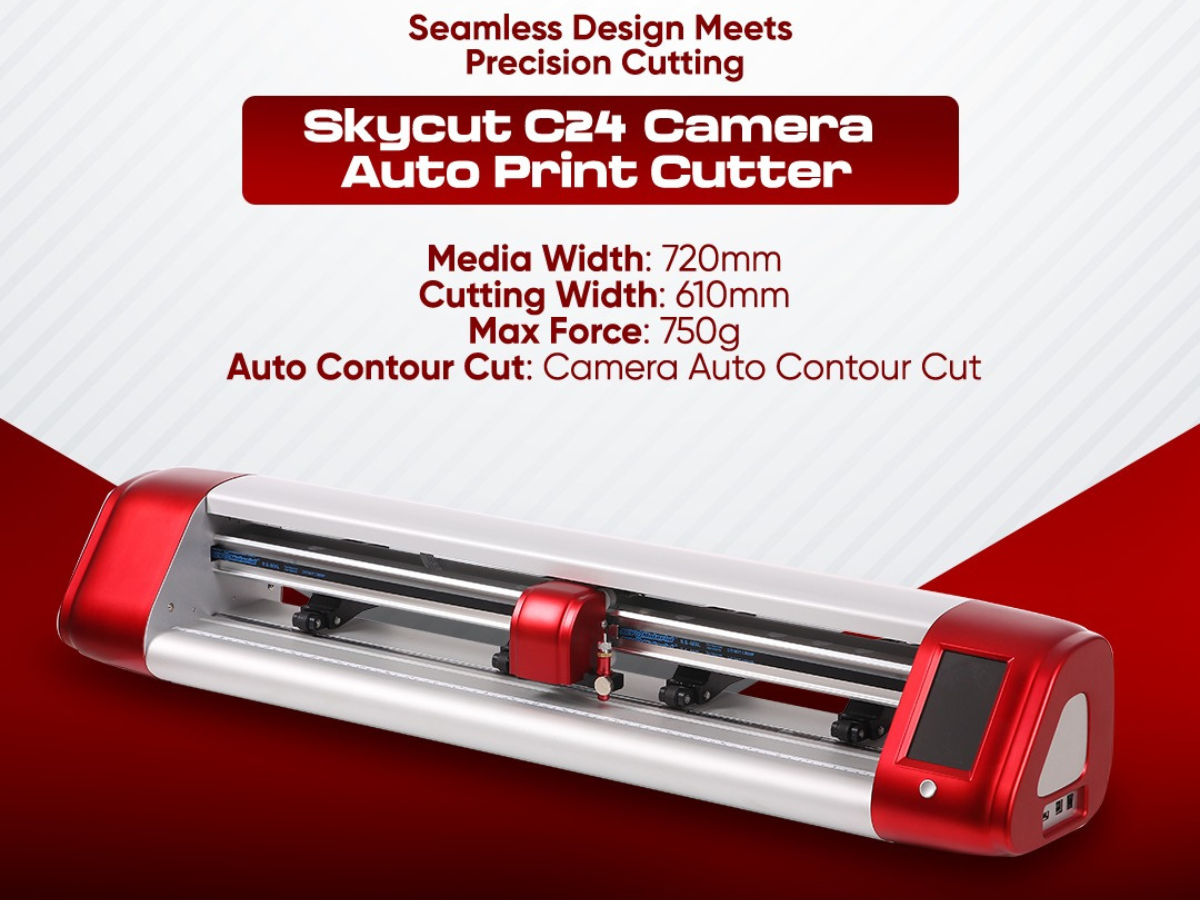
- Choosing the Wrong Material for Cutting Plotter Machine
Plotter machines do not support every material type. Users often load low-quality vinyl or paper. Poor material bends, tears, or sticks to the blade. Choose material that matches your machine specs. Skycut Pakistan always recommends tested media for smooth results.
Using Cheap Vinyl or Paper
Low-grade material increases blade wear. It also ruins output quality. Invest in reliable sheets for long-term use.
Not Matching Material Settings
Each cutting plotter machine needs correct speed and force settings. Adjust these values before cutting new material.
- Poor Software Handling in Sticker Plotter Machine
Software errors affect cutting accuracy of a sticker plotter machine. Many users ignore updates or use cracked software. This practice causes crashes and wrong cuts. Always install official software from Skycut Pakistan. Updated software improves speed and design accuracy.
Not Learning the Software Tools
Spend time learning design tools. Proper knowledge helps you place designs correctly and reduce material waste.
Wrong File Formats
Use supported file formats like SVG or DXF. Unsupported files cause design distortion during cutting.
- Maintenance Neglect in Plotter Machine Use
Regular care keeps your plotter machine working smoothly. Many users ignore cleaning and lubrication. Dust and debris block sensors and rollers. Clean the blade holder, rollers, and cutting strip weekly. This habit improves machine life and cut quality.
Skipping Blade Replacement
Dull blades tear designs instead of cutting clean lines. Replace blades when you notice rough edges.
Ignoring Roller Cleaning
Dirty rollers slip during cutting. Clean them to maintain proper material grip.
- Overworking the Cutting Plotter Machine
Continuous operation without breaks harms internal parts. Users often run long jobs without rest. Motors heat up and lose accuracy. Give your machine short breaks during large projects. This practice improves performance and extends machine life.
Running at High Speed Always
High speed looks attractive but reduces accuracy. Use moderate speed for detailed sticker work.
Ignoring Error Alerts
Never ignore the warning signs. Always resolve errors as soon as they appear to avoid serious damage.
- Use Plotter Machine the Right Way
A plotter machine delivers clean and sharp results when you use it correctly. Avoid the above mentioned mistakes to save time, material, and money. Having a proper setup, using high quality materials, updated software, and regular care make a big difference. If you want reliable machines, expert guidance, and genuine support, contact Skycut Pakistan today. Choose smart solutions and improve your cutting results now.
FAQs
1. What is a plotter machine used for?
A plotter machine is used to cut vinyl, paper, and stickers with high accuracy. People use it for signage, labels, decals, and custom sticker designs.
2. How do I choose the right cutting plotter machine?
Choose a cutting plotter machine based on cutting width, material support, software compatibility, and daily workload. Reliable brands also offer better support and durability.
3. Can a sticker plotter machine cut thick materials?
A sticker plotter machine works best with vinyl and sticker sheets. For thick materials, adjust blade depth and cutting force carefully to get clean results.
4. How often should I maintain a plotter machine?
Clean your plotter machine weekly and check blades regularly. Proper maintenance improves cutting quality and extends machine life.
5. Why does my plotter machine cut inaccurately?
Inaccurate cutting usually happens due to wrong blade settings, poor material quality, or outdated software. Regular calibration solves most issues.